CalibrationDisplay#
- class sklearn.calibration.CalibrationDisplay(prob_true, prob_pred, y_prob, *, estimator_name=None, pos_label=None)[source]#
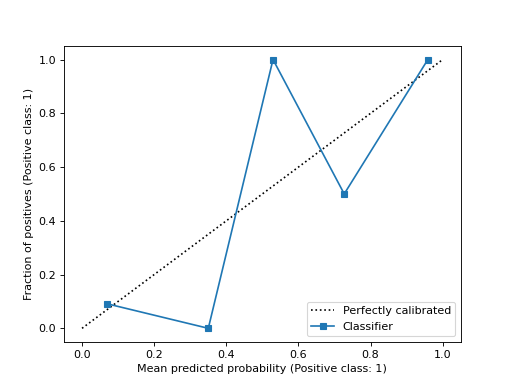
校准曲线(也称为可靠性图)可视化。
建议使用
from_estimator或from_predictions来创建CalibrationDisplay。所有参数都存储为属性。在用户指南中阅读有关校准的更多信息,并在可视化中阅读有关 scikit-learn 可视化 API 的更多信息。
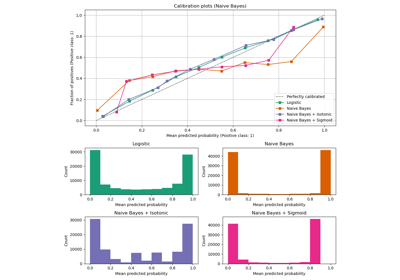
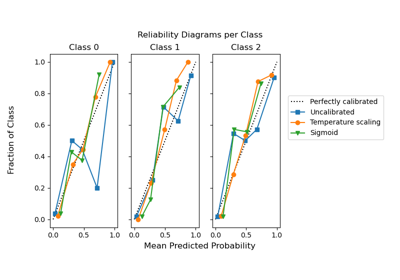
有关如何使用可视化的示例,请参阅概率校准曲线。
1.0 版本新增。
- 参数:
- prob_true形状为 (n_bins,) 的 ndarray
每个 bin 中样本属于正类的比例(正例分数)。
- prob_pred形状为 (n_bins,) 的 ndarray
每个 bin 中的平均预测概率。
- y_prob形状为 (n_samples,) 的 ndarray
每个样本的正类概率估计。
- estimator_namestr, default=None
估计器的名称。如果为 None,则不显示估计器名称。
- pos_labelint, float, bool or str, default=None
计算校准曲线时的正类。如果不是
None,则此值显示在 x 轴和 y 轴标签中。版本 1.1 中新增。
- 属性:
- line_matplotlib Artist
校准曲线。
- ax_matplotlib Axes
带有校准曲线的坐标轴。
- figure_matplotlib Figure
包含曲线的图。
另请参阅
calibration_curve计算校准曲线的真实概率和预测概率。
CalibrationDisplay.from_predictions使用真实标签和预测标签绘制校准曲线。
CalibrationDisplay.from_estimator使用估计器和数据绘制校准曲线。
示例
>>> from sklearn.datasets import make_classification
>>> from sklearn.model_selection import train_test_split
>>> from sklearn.linear_model import LogisticRegression
>>> from sklearn.calibration import calibration_curve, CalibrationDisplay
>>> X, y = make_classification(random_state=0)
>>> X_train, X_test, y_train, y_test = train_test_split(
...     X, y, random_state=0)
>>> clf = LogisticRegression(random_state=0)
>>> clf.fit(X_train, y_train)
LogisticRegression(random_state=0)
>>> y_prob = clf.predict_proba(X_test)[:, 1]
>>> prob_true, prob_pred = calibration_curve(y_test, y_prob, n_bins=10)
>>> disp = CalibrationDisplay(prob_true, prob_pred, y_prob)
>>> disp.plot()
<...>
- classmethod from_estimator(estimator, X, y, *, n_bins=5, strategy='uniform', pos_label=None, name=None, ax=None, ref_line=True, **kwargs)[source]#
使用二元分类器和数据绘制校准曲线。
校准曲线,也称为可靠性图,使用来自二元分类器的输入,并绘制每个 bin 的平均预测概率与 y 轴上的正类分数。
额外的关键字参数将传递给
matplotlib.pyplot.plot。在用户指南中阅读有关校准的更多信息,并在可视化中阅读有关 scikit-learn 可视化 API 的更多信息。
1.0 版本新增。
- 参数:
- estimatorestimator instance
已拟合的分类器或已拟合的
Pipeline,其中最后一个估计器是分类器。分类器必须具有 predict_proba 方法。- Xshape 为 (n_samples, n_features) 的 {array-like, sparse matrix}
输入值。
- yarray-like of shape (n_samples,)
二元目标值。
- n_binsint, default=5
计算校准曲线时将 [0, 1] 区间离散化的 bin 数。数字越大需要的数据越多。
- strategy{‘uniform’, ‘quantile’}, default=’uniform’
用于定义 bin 宽度的策略。
'uniform': bin 具有相同的宽度。'quantile': bin 具有相同数量的样本,并取决于预测概率。
- pos_labelint, float, bool or str, default=None
计算校准曲线时的正类。默认情况下,
estimators.classes_[1]被视为正类。版本 1.1 中新增。
- namestr, default=None
用于标记曲线的名称。如果为
None,则使用估计器的名称。- axmatplotlib axes, default=None
用于绘图的坐标轴对象。如果为
None,则会创建新的图和坐标轴。- ref_linebool, default=True
如果为
True,则绘制一条代表完美校准分类器的参考线。- **kwargsdict
将传递给
matplotlib.pyplot.plot的关键字参数。
- 返回:
- display
CalibrationDisplay. 存储计算值的对象。
- display
另请参阅
CalibrationDisplay.from_predictions使用真实标签和预测标签绘制校准曲线。
示例
>>> import matplotlib.pyplot as plt
>>> from sklearn.datasets import make_classification
>>> from sklearn.model_selection import train_test_split
>>> from sklearn.linear_model import LogisticRegression
>>> from sklearn.calibration import CalibrationDisplay
>>> X, y = make_classification(random_state=0)
>>> X_train, X_test, y_train, y_test = train_test_split(
...     X, y, random_state=0)
>>> clf = LogisticRegression(random_state=0)
>>> clf.fit(X_train, y_train)
LogisticRegression(random_state=0)
>>> disp = CalibrationDisplay.from_estimator(clf, X_test, y_test)
>>> plt.show()

- classmethod from_predictions(y_true, y_prob, *, n_bins=5, strategy='uniform', pos_label=None, name=None, ax=None, ref_line=True, **kwargs)[source]#
使用真实标签和预测概率绘制校准曲线。
校准曲线,也称为可靠性图,使用来自二元分类器的输入,并绘制每个 bin 的平均预测概率与 y 轴上的正类分数。
额外的关键字参数将传递给
matplotlib.pyplot.plot。在用户指南中阅读有关校准的更多信息,并在可视化中阅读有关 scikit-learn 可视化 API 的更多信息。
1.0 版本新增。
- 参数:
- y_true形状为 (n_samples,) 的 array-like
真实标签。
- y_prob形状为 (n_samples,) 的 array-like
正类的预测概率。
- n_binsint, default=5
计算校准曲线时将 [0, 1] 区间离散化的 bin 数。数字越大需要的数据越多。
- strategy{‘uniform’, ‘quantile’}, default=’uniform’
用于定义 bin 宽度的策略。
'uniform': bin 具有相同的宽度。'quantile': bin 具有相同数量的样本,并取决于预测概率。
- pos_labelint, float, bool or str, default=None
计算校准曲线时的正类。当
pos_label=None时,如果y_true在 {-1, 1} 或 {0, 1} 中,则将pos_label设置为 1,否则将引发错误。版本 1.1 中新增。
- namestr, default=None
用于标记曲线的名称。
- axmatplotlib axes, default=None
用于绘图的坐标轴对象。如果为
None,则会创建新的图和坐标轴。- ref_linebool, default=True
如果为
True,则绘制一条代表完美校准分类器的参考线。- **kwargsdict
将传递给
matplotlib.pyplot.plot的关键字参数。
- 返回:
- display
CalibrationDisplay. 存储计算值的对象。
- display
另请参阅
CalibrationDisplay.from_estimator使用估计器和数据绘制校准曲线。
示例
>>> import matplotlib.pyplot as plt
>>> from sklearn.datasets import make_classification
>>> from sklearn.model_selection import train_test_split
>>> from sklearn.linear_model import LogisticRegression
>>> from sklearn.calibration import CalibrationDisplay
>>> X, y = make_classification(random_state=0)
>>> X_train, X_test, y_train, y_test = train_test_split(
...     X, y, random_state=0)
>>> clf = LogisticRegression(random_state=0)
>>> clf.fit(X_train, y_train)
LogisticRegression(random_state=0)
>>> y_prob = clf.predict_proba(X_test)[:, 1]
>>> disp = CalibrationDisplay.from_predictions(y_test, y_prob)
>>> plt.show()
- plot(*, ax=None, name=None, ref_line=True, **kwargs)[source]#
绘制可视化图。
额外的关键字参数将传递给
matplotlib.pyplot.plot。- 参数:
- axMatplotlib Axes, default=None
用于绘图的坐标轴对象。如果为
None,则会创建新的图和坐标轴。- namestr, default=None
用于标记曲线的名称。如果为
None,则使用estimator_name(如果不是None),否则不显示标签。- ref_linebool, default=True
如果为
True,则绘制一条代表完美校准分类器的参考线。- **kwargsdict
将传递给
matplotlib.pyplot.plot的关键字参数。
- 返回:
- display
CalibrationDisplay 存储计算值的对象。
- display